

When Reading Feels Like a Battle — These Tools Can Help
If your child dreads reading time, you’re not alone — and it’s not because they aren’t trying hard enough. Dyslexia reading tools exist precisely because millions of kids (and adults) experience reading as a daily struggle that has nothing to do with intelligence.
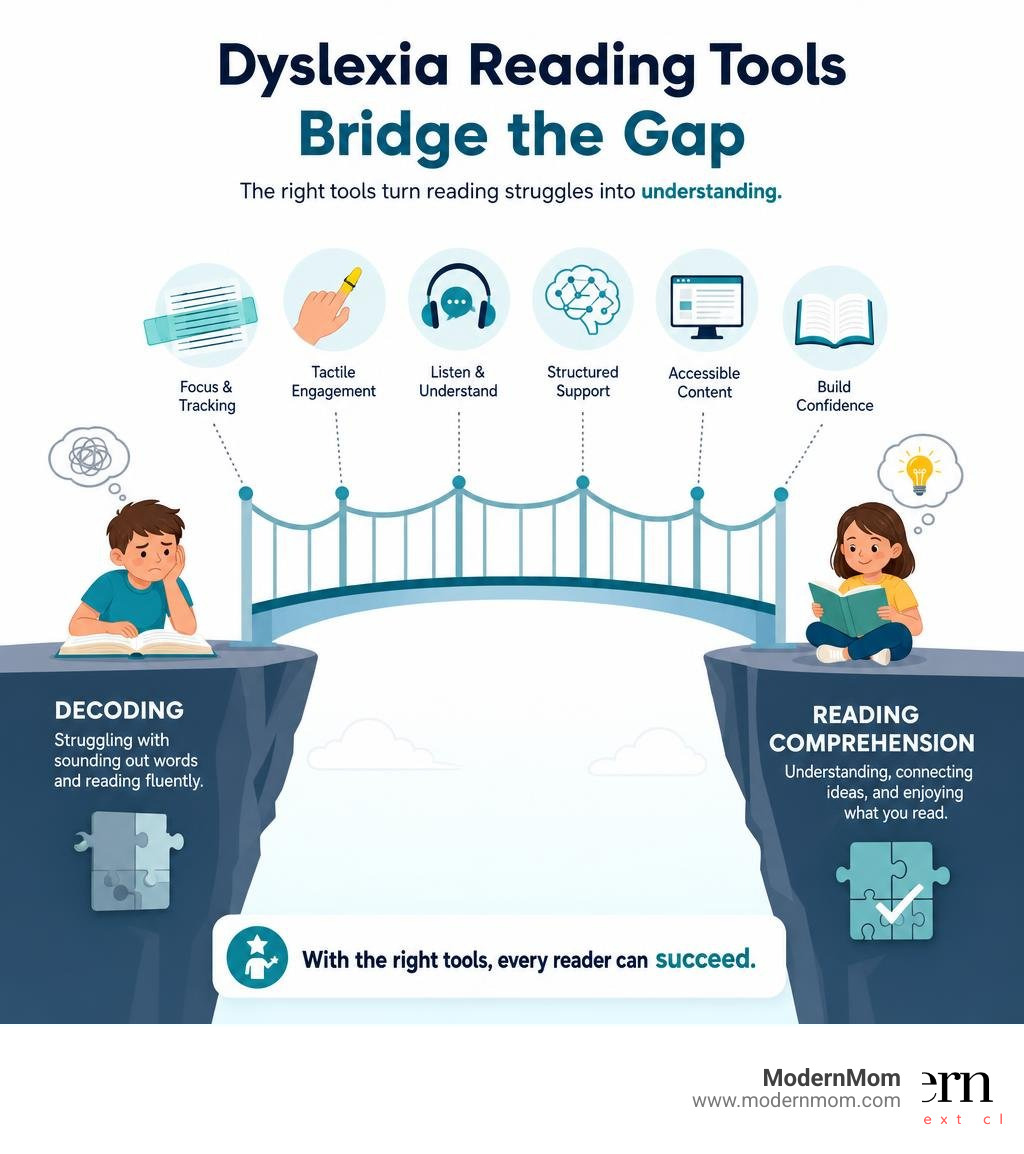
Here’s a quick look at the top options to know about:
| Tool Type | Best For | Examples |
|---|---|---|
| Guided reading strips | Line tracking, visual focus | Colored plastic overlays, reading rulers |
| FingerFocus highlighters | Tactile engagement, word tracking | Finger-mounted highlighter tools |
| Text-to-speech (TTS) apps | Comprehension, independent reading | Dyslexia Reader, MYdys |
| AI learning platforms | Structured intervention, progress tracking | EZRead |
| Browser extensions | Digital reading accessibility | ReadEase, Pixie, Readapt |
| Dyslexia-friendly books | Confidence building, reading practice | Dyslexic-font fiction, activity books |
The International Dyslexia Association estimates that up to 20% of readers show symptoms of dyslexia. That’s one in five kids sitting in a classroom, struggling to decode words that their peers seem to read effortlessly. The frustration is real — for children and the parents watching it happen.
The good news? There are more targeted, research-backed tools available today than ever before — from simple colored strips to AI-powered reading coaches. Whether you’re just starting to explore options or looking to level up what’s already working, this guide breaks it all down for you.
More dyslexia reading tools:
Low-Tech Solutions for Visual Focus and Fluency
Sometimes the simplest tools are the ones kids actually use. Low-tech supports can reduce visual clutter, help with line tracking, and make reading feel less overwhelming.
Popular options include:
- Guided reading strips
- Colored overlays
- Reading rulers
- Finger-mounted highlighters
- Dyslexia-friendly printed books
- Activity books designed for struggling readers
Guided reading strips are especially popular because they isolate one line of text at a time. That can help children stop skipping lines, rereading the same sentence, or losing their place every 10 seconds.
Colored overlays and reading strips may also help some children with visual stress. They don’t treat dyslexia itself, but for certain readers they can reduce glare, improve focus, and make a page feel calmer. The key word is some: there isn’t one magic color for everyone, so trial and error matters.
Selecting the Best Dyslexia Reading Tools for Home and School
When we’re choosing tools for backpacks, homework stations, or classroom bins, we like to look for products that are:
- Durable
- Easy for kids to use independently
- Portable
- Affordable enough to buy extras
- Available in multi-packs for home and school
A strong starter kit often includes:
- Guided reading strips for line-by-line tracking
- FingerFocus-style highlighters for tactile learners
- A few colored overlays in different shades
- One or two dyslexia-friendly books for confidence-building practice
Physical tools can be a great first step because they’re low-cost and low-pressure. They also work well alongside teacher-led instruction.
Why Research-Backed Dyslexia Reading Tools Make a Difference
Dyslexia often affects phonological processing, decoding, and reading fluency. That means tools work best when they reduce cognitive load rather than pile on more frustration.
Studies and expert guidance support assistive reading technology as a helpful support for improving reading fluency and comprehension. And while customer reviews aren’t scientific proof, they do show real-world usability: guided reading strips have more than 4,833 reviews, and finger highlighter tools have more than 1,755 reviews from families and educators.
In plain English: if a tool is easy to use, helps a child stay on the line, and lowers frustration, that matters. A lot.
High-Tech Assistive Technology and Dyslexia Reading Tools
If low-tech tools help with focus, high-tech tools often help with access. This is where text-to-speech, speech-to-text, scanning apps, and AI-supported learning platforms can really shine.
Text-to-speech tools support dyslexic readers by:
- Reading text aloud while the child follows along
- Supporting comprehension when decoding is slow
- Helping with proofreading by letting kids hear their own writing
- Making grade-level content more accessible
Speech-to-text tools help from the other direction. If a child can explain it out loud but freezes when it’s time to write, dictation can remove a huge barrier.
A good example is Dyslexia Reader App, which combines text-to-speech with tools like syllable support, word analysis, and focus features. That’s important because the best apps don’t just read for the child – they support learning too.
Digital Platforms for Comprehensive Learning
Some families want more than a single app. They want a system.
Platforms such as EZRead AI Platform are designed to combine structured practice with progress tracking and intervention tools. Features may include phonics practice, fluency coaching, writing support, and even IEP-related planning tools for educators.
For everyday print materials, MYdys Scanning App takes a different approach. It lets users photograph printed text, then adjust spacing, colors, and read-aloud settings. That can be helpful for everything from homework pages to museum signs to restaurant menus. Yes, even the kids’ menu can become homework-level stressful sometimes.
Mobile Apps and E-Readers for On-the-Go Support
Not every child wants to sit at a desk with a worksheet and a plastic strip. Some do better with a phone, tablet, or e-reader.
Helpful options include:
- Audiobook apps for listening while following text
- E-readers with built-in vocabulary supports
- Apps that scan and adapt printed pages
- Tools with adjustable fonts, spacing, and background colors
Kid-friendly e-readers like Kindle models can also help with independent reading, especially when they include tools like Word Wise or built-in dictionaries. These won’t replace instruction, but they can make practice less draining and more doable.
For mobile support, MYdys: Assistive Technology for All is worth exploring for families who need portable reading help outside school.
How to Choose the Right Support for Your Child
The best dyslexia reading tools are the ones your child will actually use consistently. That means the “best” tool isn’t always the fanciest one.
Here’s a simple comparison:
| Feature | Physical Tracking Tools | Digital Assistive Apps |
|---|---|---|
| Best for | Line tracking, visual focus | Reading access, decoding support, writing help |
| Cost | Usually low | Free to premium subscription |
| Learning curve | Very low | Moderate |
| Works offline | Yes | Sometimes |
| School integration | Easy | Depends on device policies |
| Personalization | Limited | High |
No tool should replace evidence-based reading instruction. Structured literacy approaches, including Orton-Gillingham-based methods, are still widely considered the gold standard for intervention. Tools are there to support learning, access, and confidence.
Criteria for Selecting Dyslexia Reading Tools
Before buying, ask:
- Is it easy enough for our child to use without constant adult help?
- Does it solve a specific problem like line skipping, decoding, or writing fatigue?
- Will school allow it?
- Is it age-appropriate?
- Is there room to personalize the experience?
- Does the price match how often we’ll use it?
Price ranges in 2026 vary a lot:
- Reading strips and overlays: usually budget-friendly
- Finger highlighters: low-cost
- Activity books: moderate
- Apps: free trials to monthly subscriptions
- Premium platforms: higher monthly or annual cost
- E-readers and tablets: biggest upfront investment
If you want to explore app-based support and current tool features, see Latest research on dyslexia interventions.
Building Confidence Through Specialized Literature
This piece often gets overlooked, but books about dyslexia can be powerful. When children see characters who struggle like they do, it can reduce shame and build self-understanding.
Good options include:
- Dyslexia-friendly fiction with readable formatting
- Decodable books for skill practice
- Activity books with games and structured exercises
- Stories that talk openly about learning differences
Some popular dyslexia activity books have more than 2,347 reviews, which suggests families are actively using them at home. The value isn’t just academic. It’s emotional too. Sometimes a child needs to know, “Oh, it’s not just me.”
Digital Accessibility and Specialized Fonts
Digital reading can be wonderful or awful, depending on the setup. The good news is that many tools now let children customize the experience.
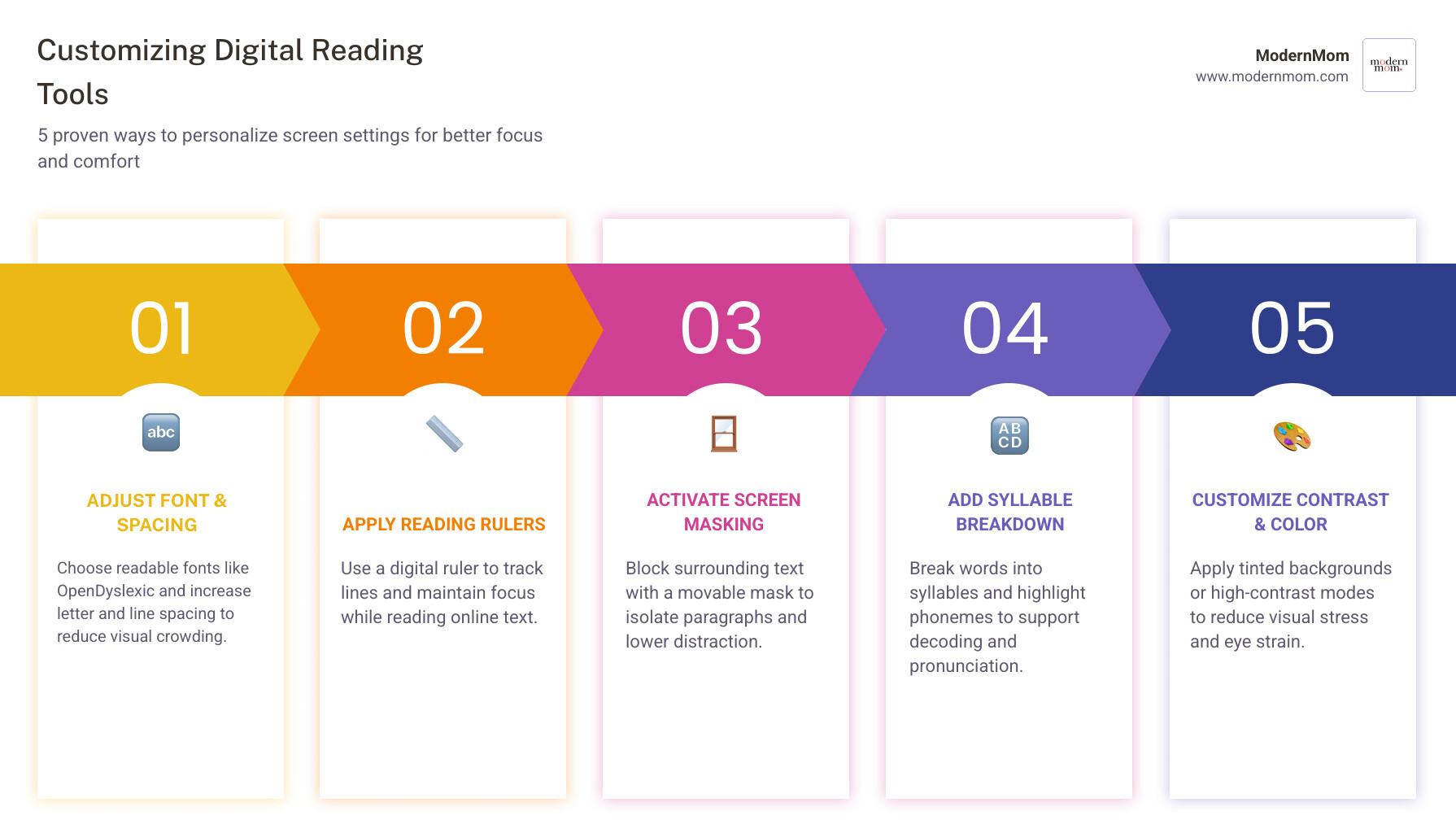
Useful digital features include:
- OpenDyslexic or other readable fonts
- Screen masking
- Reading rulers
- Letter and line spacing adjustments
- Syllable breakdown
- Phoneme coloring
- High contrast or tinted backgrounds
- Built-in dictionaries
One important note: research suggests personalization matters more than any single font. In other words, there is no universal “perfect dyslexia font” for every child.
Browser Extensions for Smarter Reading
Browser-based tools can make school websites and online articles much easier to manage.
A few notable options are:
- ReadEase AI Emphasis for highlighting key words on webpages
- Readapt Open Source Tool for customizable reading supports like screen masks and syllable breakdown
- Pixie Browser Extension for text-to-speech, reading rulers, zoom, and accessibility settings
These can be especially helpful for middle school and high school students who spend more time reading online than on paper.
Customizing the Digital Experience
The best digital setup is the one that lowers stress fast. Start small:
- Increase letter spacing
- Adjust line height
- Test background color changes
- Turn on a reading ruler
- Add text-to-speech
- Use a built-in dictionary for unknown words
For web reading, Pixie: TTS and Reading Ruler combines several of these features in one place. That all-in-one approach can be handy for busy families who don’t want 14 tabs open just to finish one assignment.
Frequently Asked Questions about Dyslexia Reading Tools
How do colored overlays and reading strips actually help?
They help by reducing visual clutter and isolating text. Reading strips guide the eye across one line at a time, while colored overlays may reduce glare or visual stress for some children. They don’t “cure” dyslexia, but they can improve comfort, tracking, and fluency during reading practice.
Can assistive technology replace traditional reading therapy?
No. Assistive technology is best used as a support, not a substitute. Experts continue to recommend structured literacy instruction as the most effective intervention for dyslexia. Tools like text-to-speech, dictation, and reading rulers help children access content and reduce frustration while they build skills.
What are the best value options for families on a budget?
Start with the basics:
- Guided reading strips
- Colored overlays
- Finger highlighters
- Library audiobooks
- Free browser extensions
- Free trials for dyslexia apps
This mix gives families practical support without a huge upfront cost. If one tool proves helpful, then it makes sense to upgrade.
Conclusion
Finding the right dyslexia reading tools can take a little experimenting, but the payoff is huge: less frustration, more independence, and a child who feels capable instead of defeated.
At ModernMom, we believe support should be practical, encouraging, and realistic for everyday family life. If you’re ready for more smart parenting resources, child development help, and budget-friendly finds, visit the ModernMom Savings Center and explore more at ModernMom.